


myGMC
4.613.12K Reviews
App Specs
- Version
- 8.15.0
- Updated On
- License
- Free
- Downloads
- 1,000,000+
- Developer
- General Motors (GM)
- Categories
- Lifestyle
- Platform
- Android, iOS
Screenshots
 Analysis by AppCompare
When I first stumbled upon the myGMC app, I was curious to see how well it would integrate with my daily driving experience. After using it for a while, I can confidently say it's more than just a car app; it's like having a digital co-pilot!
Getting to Know My Co-Pilot
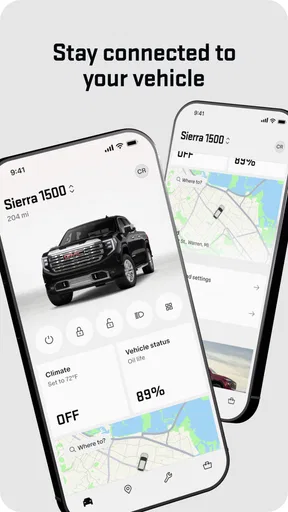
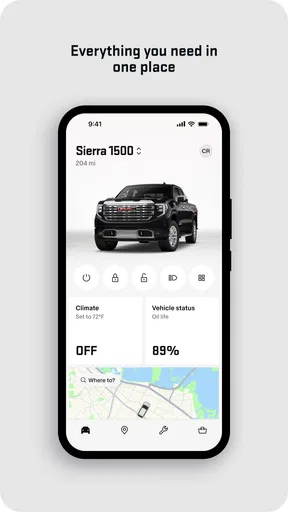
Right off the bat, the installation process was smooth and intuitive. Available for both Android and iOS, the app quickly synced with my GMC vehicle. I was pleasantly surprised by how effortless it was to connect. As soon as I launched the app, I was greeted with a clean, user-friendly interface that made navigation a breeze.
Features That Stand Out
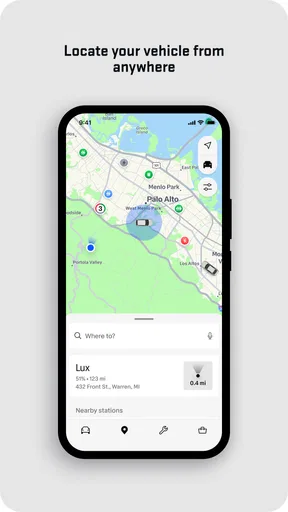
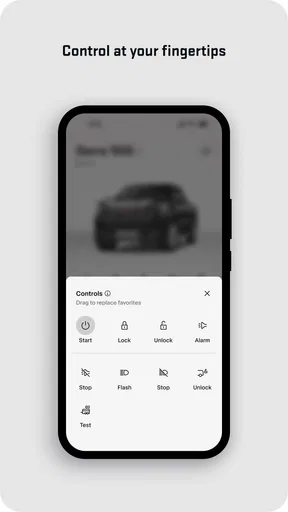
Diving into the functionalities, the myGMC app is packed with features designed to enhance your driving experience. One of the highlights for me was the Remote Access feature. Being able to start my car, lock or unlock the doors, and even activate the horn and lights from my phone is pretty futuristic. It’s perfect for those moments when you can't remember if you locked the car or need to find it in a crowded parking lot.
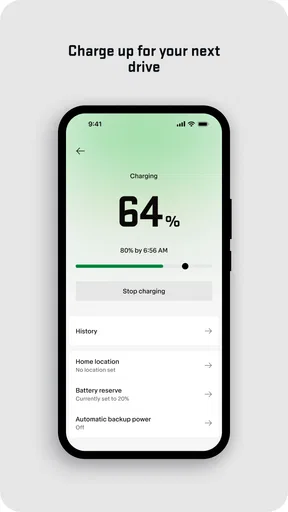
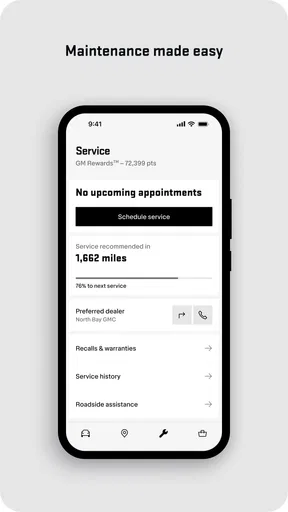
The app also provides real-time vehicle status updates, which means no more guessing whether you need an oil change or if your tire pressure is low. It’s all there at your fingertips! Plus, the service scheduling feature allows you to book appointments with your preferred dealer without any hassle.
Navigation and Assistance
Another feature that I found incredibly useful is the built-in navigation assistance. The app allows you to send destinations directly to your vehicle’s navigation system. No more fiddling with GPS while driving – just set it up before you hit the road. For those who own a GMC with OnStar, the integration is seamless. I could access roadside assistance, get turn-by-turn directions, and even enjoy a Wi-Fi hotspot on the go.
Driving Experience Enhanced
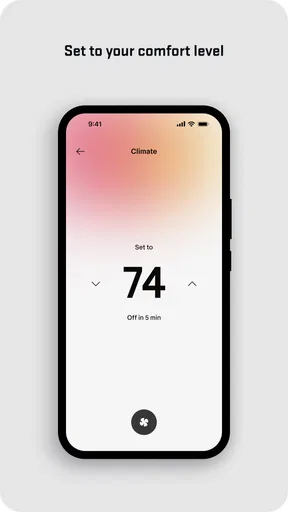
One of the cool aspects of the myGMC app is how it truly personalizes your driving experience. The app's ability to remember your preferences and driving habits makes each trip comfortable and tailored just for you. It’s like having a personal assistant who knows your driving style and adjusts accordingly.
And for those who are conscious about fuel efficiency, the app provides insights into your driving patterns and suggests ways to improve. It’s an excellent way to become a more eco-friendly driver.
Worth Reading Before You Choose

EA SPORTS FC Mobile 26 Is a Bigger Football Game, but It Takes Time

Flipboard Shows What News Apps Must Do Beyond the Feed

Switching to Android Auto Means Rethinking Your Driving Routine

Google Calendar Makes a Crowded Week Easier to Manage

Ludo King Makes the Most of the Minutes Between Plans

Baby Panda World Brings Quick Play to Modern Phones, but Its Game Library Feels Busy
Security and Peace of Mind
Security is a biggie, and the app doesn't disappoint. With real-time alerts and notifications, I always know what's happening with my vehicle. Whether it’s a security alert or a maintenance reminder, I’m always in the loop. It certainly gives an added layer of peace of mind knowing your car's security is just a notification away.
Wrapping It Up
In conclusion, the myGMC app is a fantastic tool for anyone who owns a GMC vehicle. It’s not only packed with practical features but also enhances the overall driving experience. The convenience of controlling and monitoring your vehicle right from your smartphone is unmatched. If you're looking for a way to make your driving life easier and more connected, I’d definitely recommend giving the myGMC app a spin. It might just become your favorite driving companion!
Pros
- User-friendly interface for easy navigation.
- Real-time vehicle status updates.
- Remote start and lock features.
- Fuel efficiency tracking and tips.
- Service scheduling directly from the app.
Cons
- Limited features on older vehicle models.
- Requires stable internet connection.
- Some features need OnStar subscription.
- App updates can be infrequent.
- Occasional connectivity issues reported.
FAQs for myGMC
What is myGMC and what features does it offer?
myGMC is a comprehensive app designed for GMC vehicle owners, offering a range of features to enhance the driving experience. Users can remotely start or stop their vehicle, lock or unlock doors, and check fuel levels. The app also provides access to vehicle diagnostics, service scheduling, and roadside assistance, ensuring convenience and peace of mind.
Is myGMC compatible with all GMC vehicles?
myGMC is compatible with most GMC models equipped with an active OnStar plan. However, some features may vary depending on the vehicle's model year and trim level. It's crucial to check the app's compatibility with your specific vehicle before downloading, as older models may not support all functionalities.
How secure is the myGMC app?
The myGMC app uses advanced encryption and security measures to protect user data and vehicle information. It requires a secure login process, ensuring that only authorized users can access sensitive features like remote start and door locking. Regular updates also enhance security, making it a reliable choice for vehicle management.
Do I need an OnStar subscription to use myGMC?
While the myGMC app can be downloaded and used without an OnStar subscription, many of its advanced features require an active OnStar plan. Services like remote vehicle commands, diagnostics, and certain navigation features are tied to the OnStar system, so subscribing enhances the app’s functionality.
Can I use myGMC app without an internet connection?
An internet connection is essential for the myGMC app to function properly. Features such as remote commands, vehicle diagnostics, and service scheduling require real-time data transfer between your device and the vehicle. However, some basic information stored in the app may be accessible offline.


